Shipment passport by QR
One QR code per shipment. Scan it and see where the batch is, which documents are in, and what it looked like before the container doors closed. No more "how's it going?" calls.
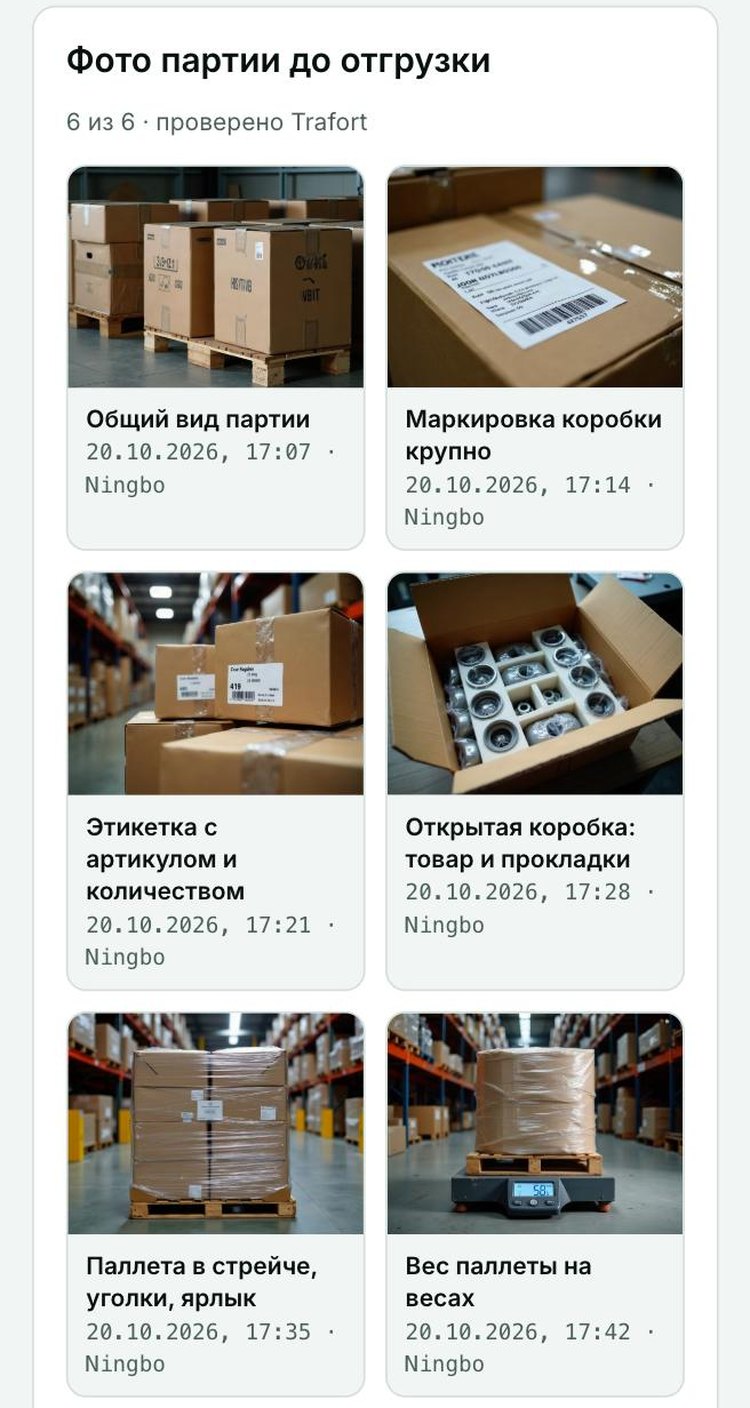
What the client sees
Order confirmed → production → batch photos → loading → in transit → customs → delivered. With dates.
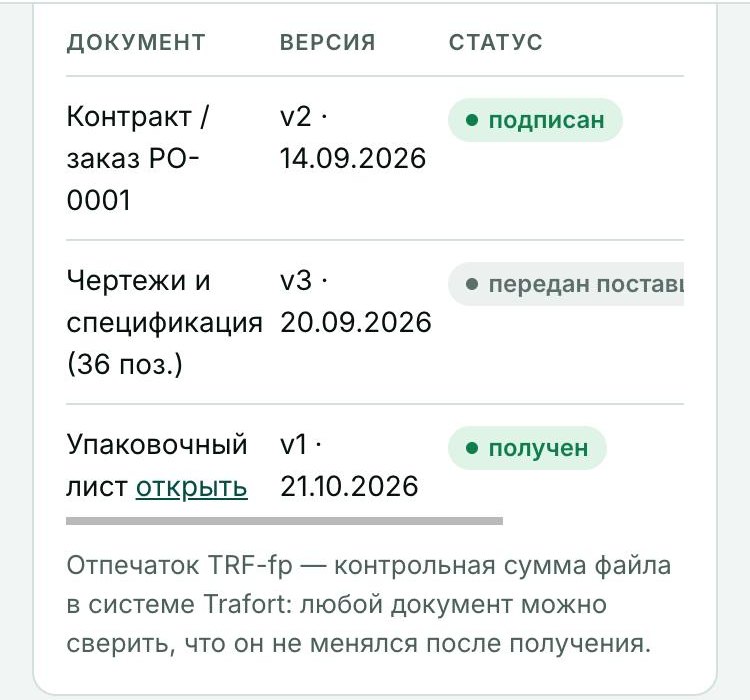
Contract, specification, invoice, packing list, certificates. Each file carries a TRF-fp fingerprint — a checksum showing the document has not changed since receipt.
6 photos of the batch before shipment and 6 at container loading: markings, labels, pallets on the scale, empty container, seal close-up. With the time taken.
If something is missing, it is the first thing you see: who, what and by when.
What we verified and what we found: match to the order, packing, documents, product restrictions.
Who uploaded or changed what, and when. The supplier only sees their part.
What the supplier does
The supplier gets their own link and QR — no prices, no client data. They open it on a phone, see the checklist and upload photos straight from the camera: no editing, time recorded. Documents follow the list of expected files. Interface in Chinese, English, German and Russian.
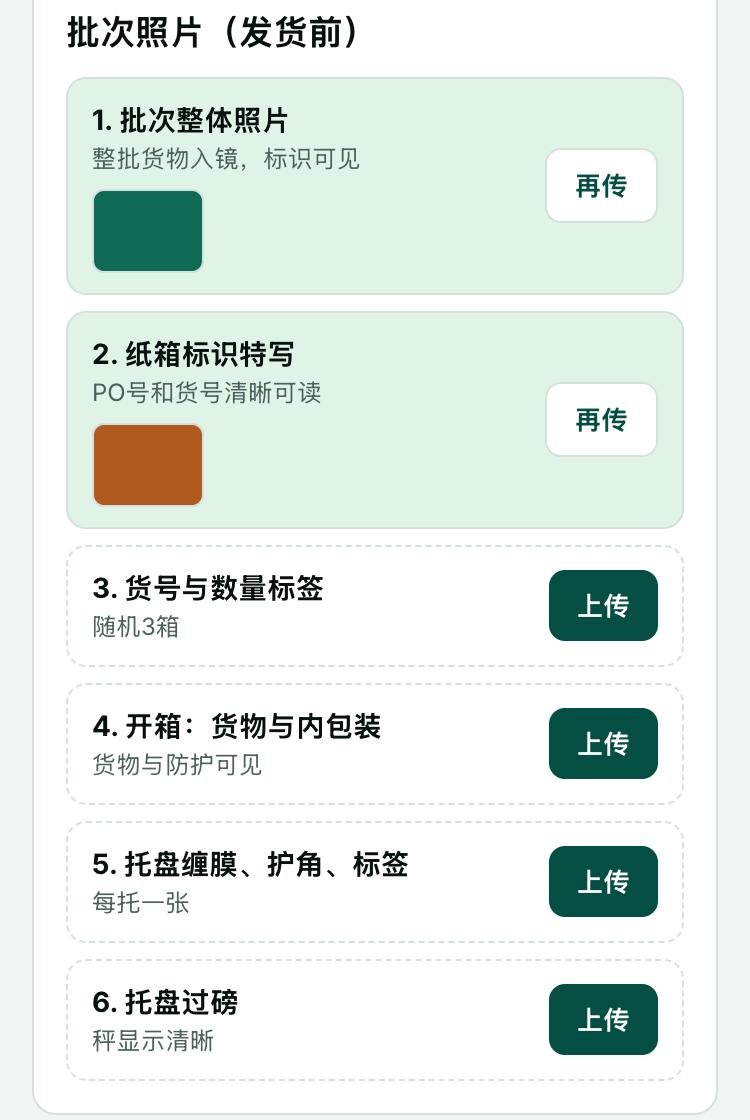
How it works
A passport for your shipment: code TRF-YY-NNNN, a QR for you, a link for the supplier.
The QR is printed on the purchase order and goes into the supplier documents together with the photo requirement.
Photos by checklist before shipment and at loading, documents as they are ready. We are notified of every upload.
Scan the QR, enter the 4-digit code — the passport is open. In any language, from any phone.
Access and security
- The client link is protected by a 4-digit code: 5 attempts, then a 15-minute pause.
- The supplier sees only the upload form — no prices, no client name.
- Files sit in private storage and are served through expiring links.
- The TRF-fp fingerprint is the file's SHA-256; any document can be checked against what we received.
Part of shipment management
The passport belongs to "Turnkey import" and "Outsourced procurement". It is not sold separately: it works when Trafort runs the shipment and is responsible for checking photos and documents.
Questions
Is this container tracking?
No. Tracking shows where the container is. The passport shows what is inside and in what state it left: documents, photos, checks. We fill the "in transit" stage from carrier data.
What if the supplier does not upload photos?
The photo requirement is in the purchase order: no Trafort confirmation, no shipment. We see gaps before you do and remind the supplier.
Which languages?
Client: English, German, Russian, Chinese — the choice is remembered. Supplier: the same four, Chinese by default for factories in China.
Can colleagues have access?
Yes — the QR and code are per shipment and can be forwarded. For a workspace listing all your company's shipments, ask us.